Media
Upload and manage images and videos that are displayed on your NiceCheckIn scanning devices. Navigate to Media in the sidebar to access your media library.
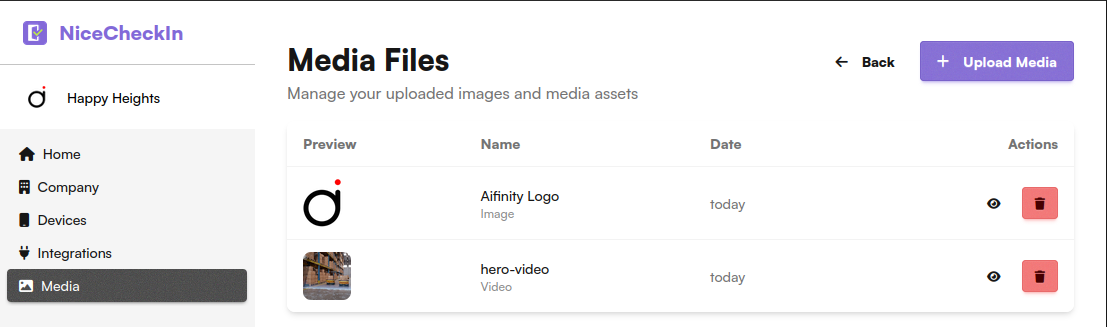
Media Library
The media library shows all uploaded files with:
- Preview - Thumbnail preview of the file
- Name - The name you assigned to the media file
- Type - Image or Video
- Date - Upload date
- Actions - Preview and delete the file
Uploading Media
Click + Upload Media to add a new image or video to your library.
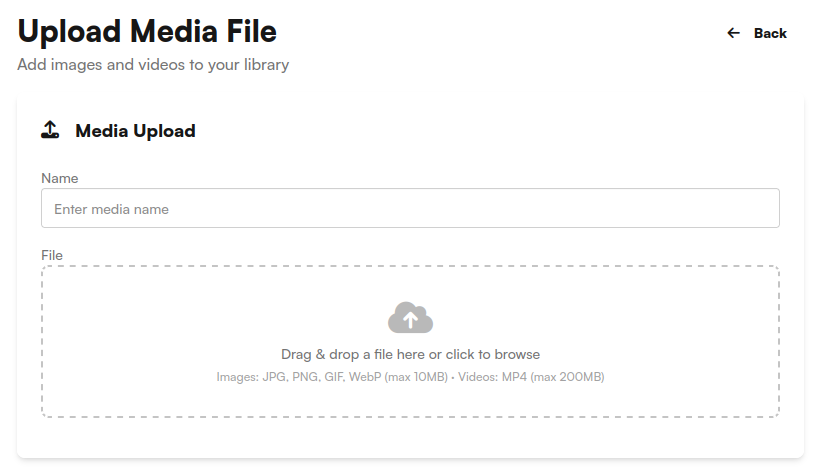
- Name - Enter a descriptive name for the media file
- File - Drag & drop a file or click to browse
Supported Formats
| Type | Formats | Max Size |
|---|---|---|
| Images | JPG, PNG, GIF, WebP | 10 MB |
| Videos | MP4 (H.264 or H.265 codec) | 200 MB |
Using Media on Devices
Uploaded media files can be assigned to devices in the Device Management section. In the device's Media & Appearance settings, select a media file from the dropdown to display it on the device idle screen.